
Move to Library
Takes it out of Photos without deleting it. The original stays safe in the app’s Library, searchable and synced to your private iCloud. Move it back to Photos any time.
Clear your Camera Roll without losing a single screenshot. Move the receipts, tickets, recipes and funny chats you want to remember into a searchable Library – synced to your private iCloud – so Photos is for real photos again.
Free to download · Delete is always free · Move your first 50 screenshots free
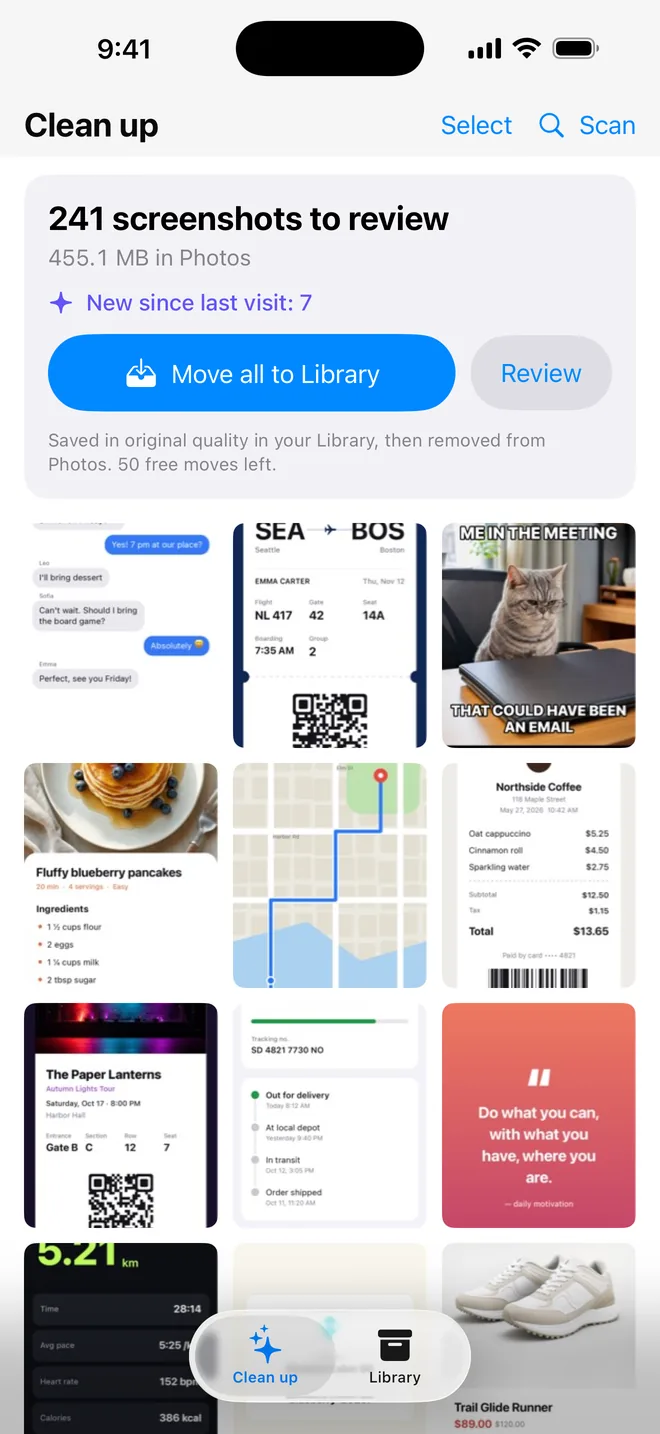
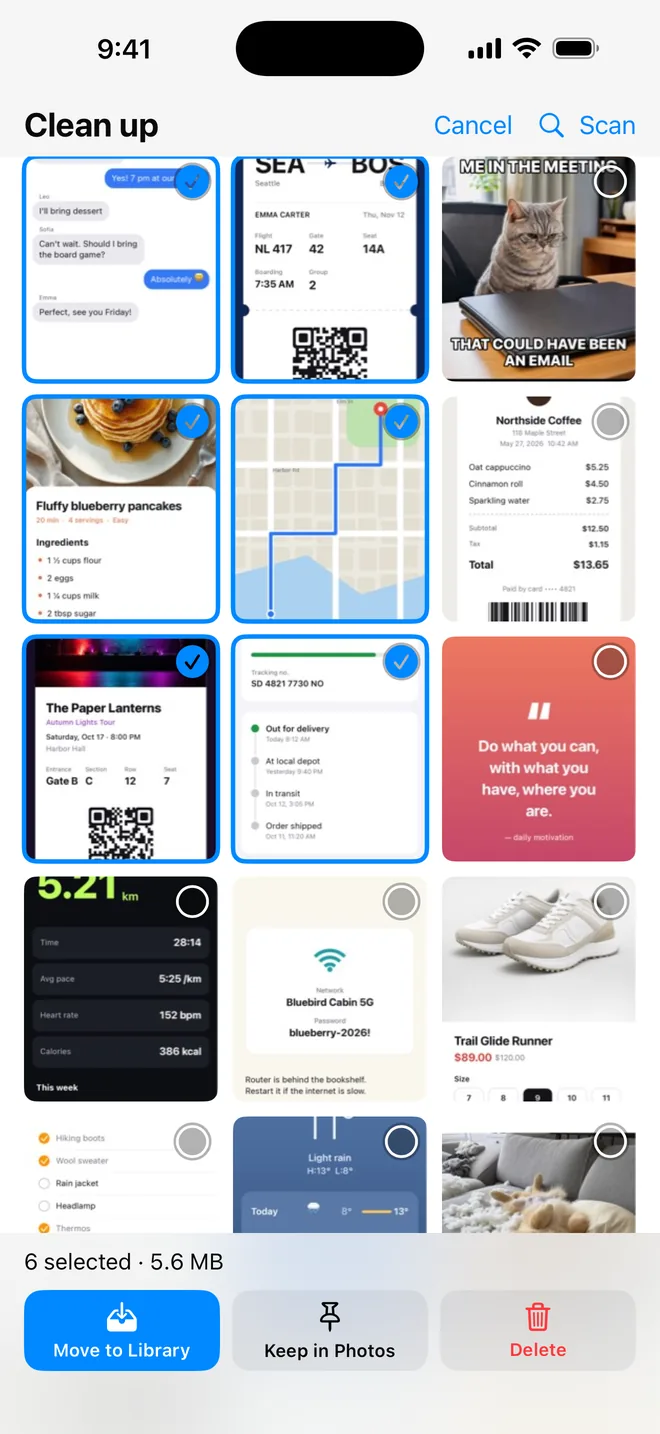
The app finds every screenshot in Photos and shows only the ones that still need a decision. Pick one of three:
Takes it out of Photos without deleting it. The original stays safe in the app’s Library, searchable and synced to your private iCloud. Move it back to Photos any time.
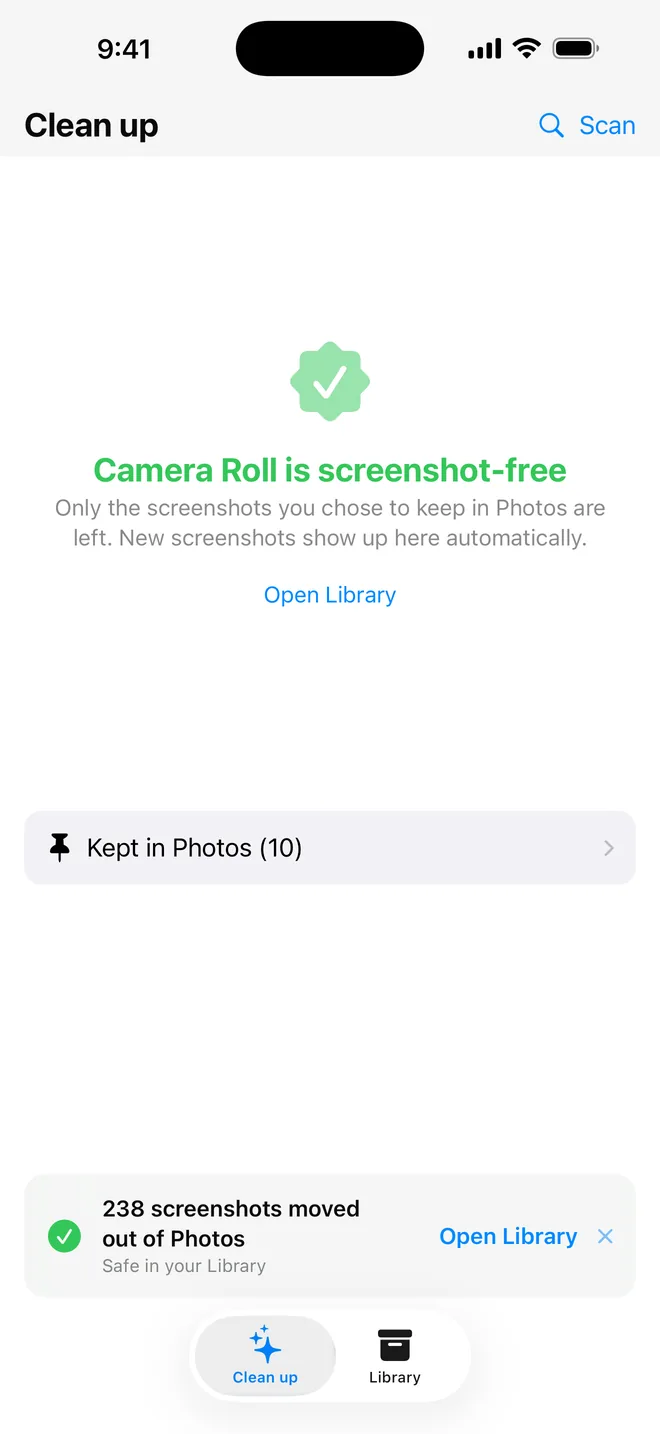
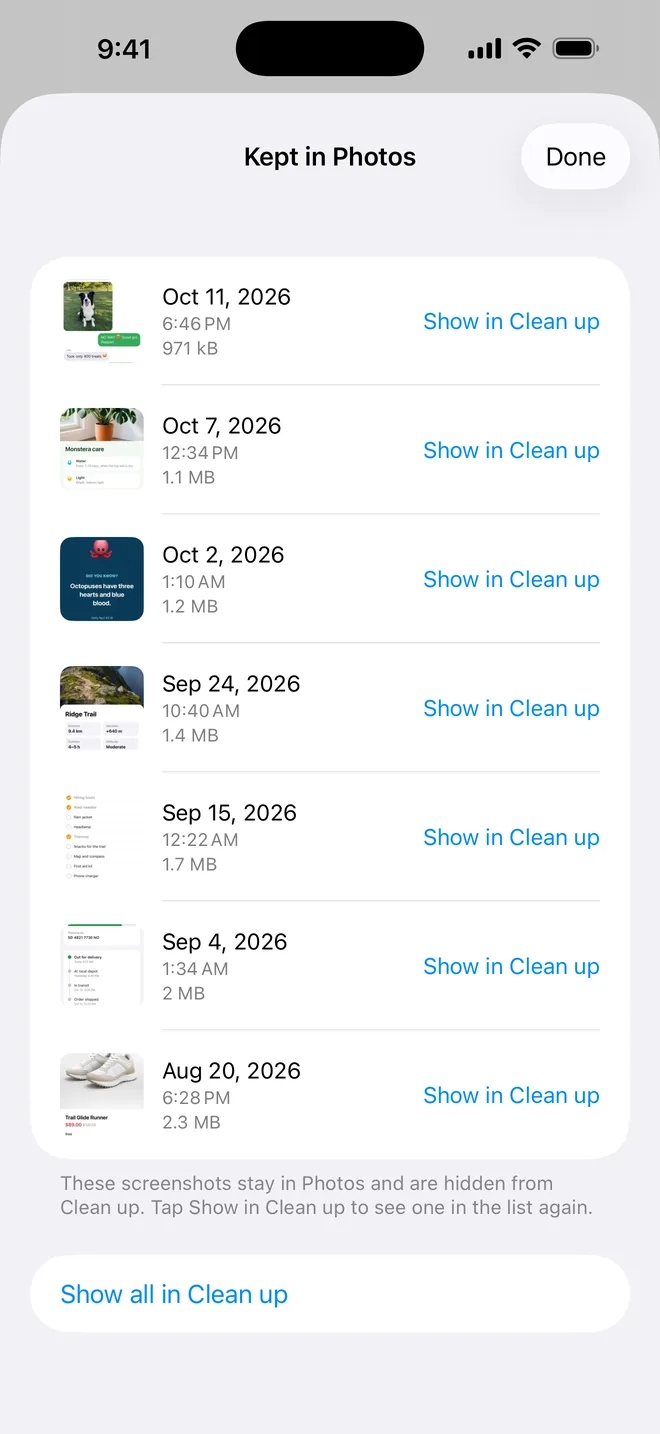
Want a screenshot – or a picture saved from Snapchat – to stay in your photo gallery? Mark it “Keep in Photos”. It stays exactly where it is and is simply hidden from the clean-up list.
For the screenshots you will never need again. Deleted items go to Photos’ “Recently Deleted” album, so you still have 30 days to change your mind.
Everything you move stays one tap away, in full original quality.
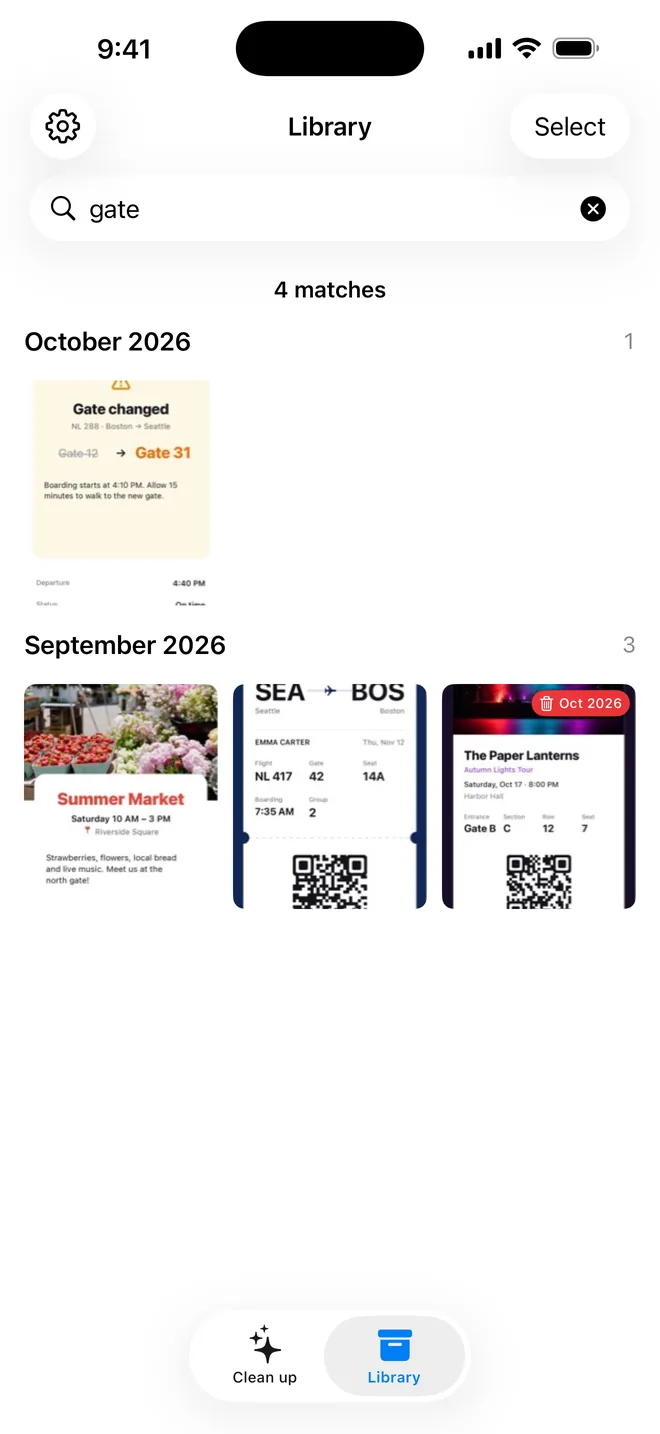
Type a flight number, an address or a price and find the screenshot that contains it. Text recognition runs entirely on your iPhone.
Your Library is stored on your device and in your own private iCloud. No account, no sign-up, and the developer has no access to it.
Give screenshots an expiry – 1, 3, 6 or 12 months – and let parking tickets and one-time codes clean themselves up. Lock the ones that should never expire.
See how many screenshots are in Photos and how much space they take, then move everything at once – or review them one by one.
Move any screenshot back to Photos, share it or export it. Your screenshots are never locked in the app.
Scanning and text recognition happen on your device. Your screenshots are never sent to our servers – we only collect anonymous usage statistics.
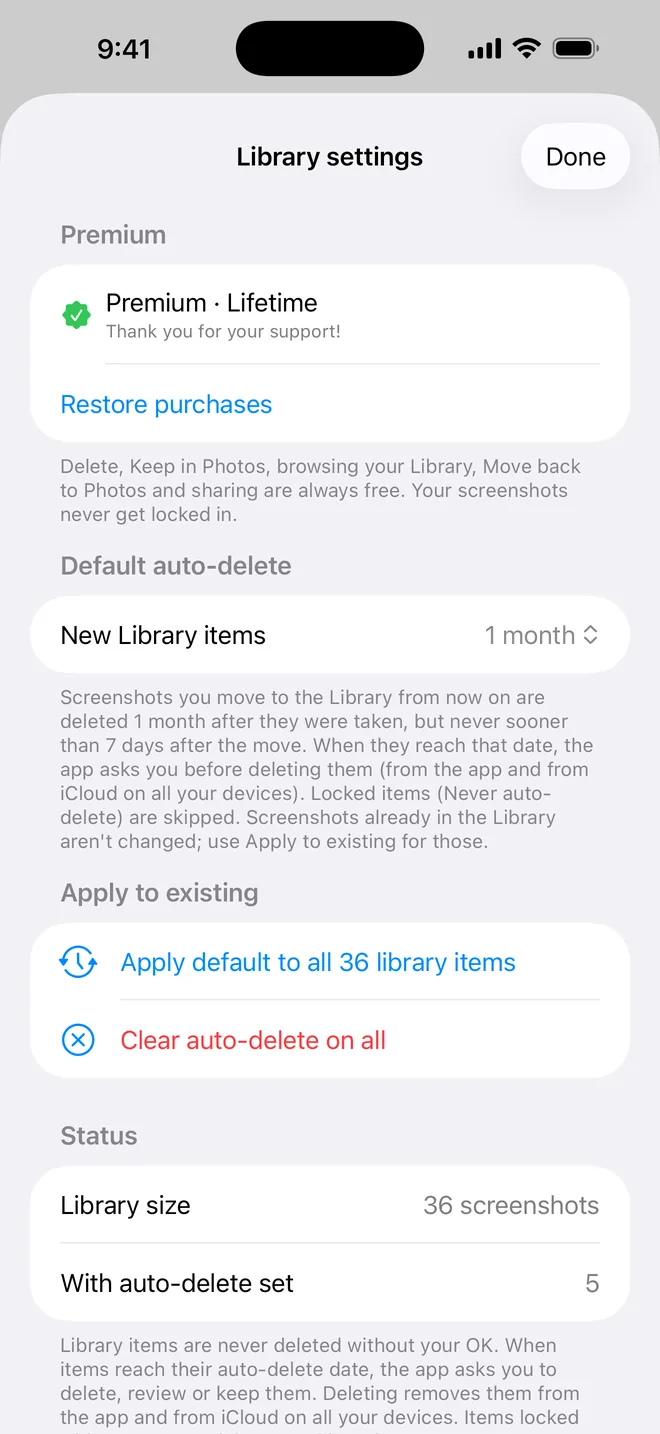
Deleting, browsing and getting your screenshots back are always free. Current prices are shown in the App Store.
Moved screenshots keep their original quality, so moving clears your Camera Roll but does not free storage on your iPhone. Only Delete frees space – once the screenshot leaves “Recently Deleted”.
Library items synced through iCloud count toward your own iCloud storage, just like other app data.
iOS asks you to confirm before anything is removed from Photos, and nothing in your Library is deleted unless you ask for it or set an auto-delete period.
Into the app’s Library on your iPhone, and – if iCloud is on – into your own private iCloud, so they follow you to a new phone. They are removed from Photos only after they have been saved safely in the Library.
It tells the app that a screenshot belongs in your photo gallery. Nothing is moved or changed; the screenshot is just hidden from the clean-up list. You can review and un-keep them at any time.
Yes. Open it in the Library and choose Move back to Photos. You can also share or export it. This is always free.
No. Scanning and text recognition run on your device, and the Library lives in your private iCloud, which only you can access. Read the privacy policy for details.
No. Earlier Full Access purchases unlock Premium for life. If it doesn’t show up, tap Restore Purchases in the app.
Download Screenshot Deleter & Archive for iPhone.